
Your courts.One desk.Every player.
Requests from the app, walk-ins, payments and your regulars, on one screen at the front desk, on a phone or a laptop.
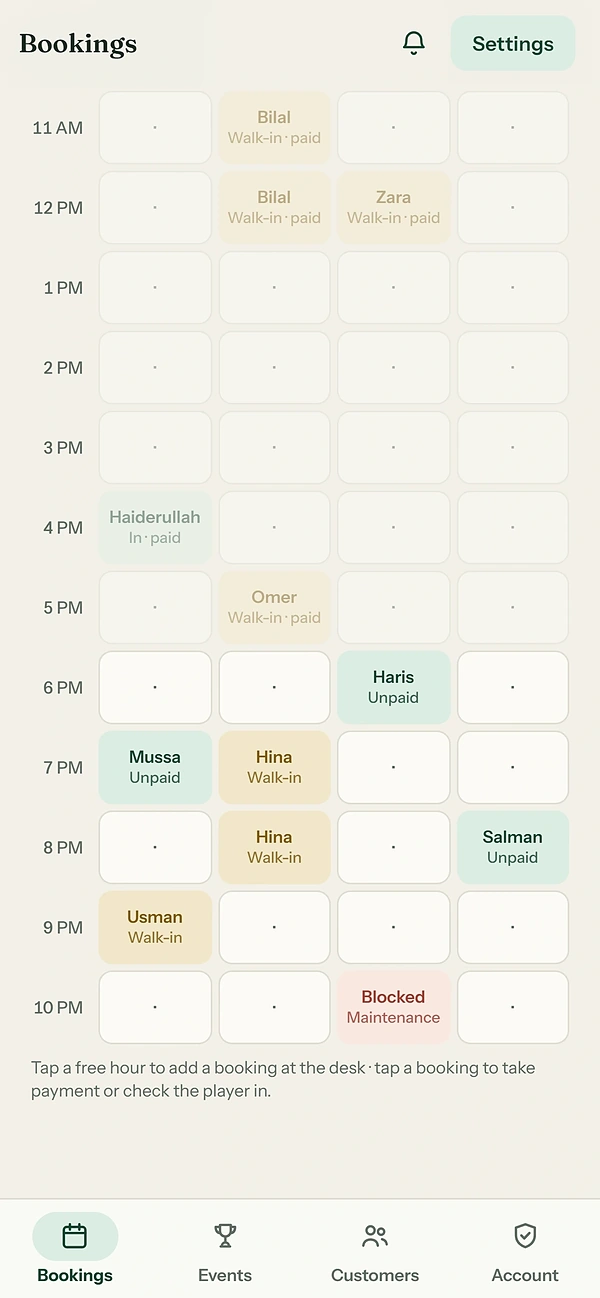
Every court.
The whole day.
Your Bookings tab: one grid, every court, every hour, and what each booking still needs. It updates live.
- Add bookingTap a free hour: the guest's name and number, 1, 1½ or 2 hours, paid or not. Repeat it weekly, up to 12 weeks; taken weeks are skipped.
- Block an hourMaintenance, coaching or a private event, 1 to 12 hours. The hour comes off the app; lift the block any time.
- Record paymentCash or bank transfer, on the booking.
- Player arrivedCheck them in, or once the hour has started, mark a no-show.
One tap
to confirm.
Players request an hour in the app. Every request waiting lands at the top of your Bookings, soonest first, with the count in the heading and in the browser tab.
25→1No double bookings: tested with 25 requests for the same hour at once. Exactly one becomes a booking.
Your players,
known.
Everyone who books at your club, on one list you can search, tagged so you know who to look after.
Open anyone for their visits, last visit, no-shows, next booking and last ten bookings, their rating and Passport, and notes from your staff that only your club sees. A player's username and phone number stay private.
Set it up
once.
What players see on your page, and how your club takes bookings.
Take bookings from the app, or not. Confirm requests yourself, or automatically. Add your staff by their username, as Owner or Staff.
Host tournaments.
Score the ranking.
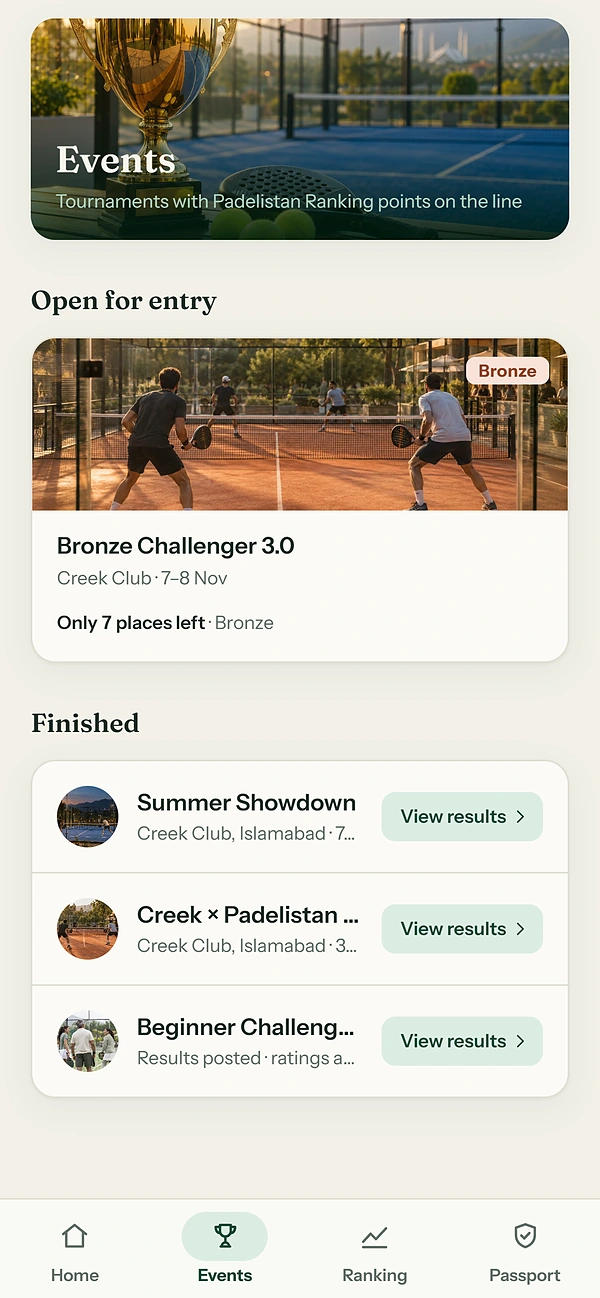
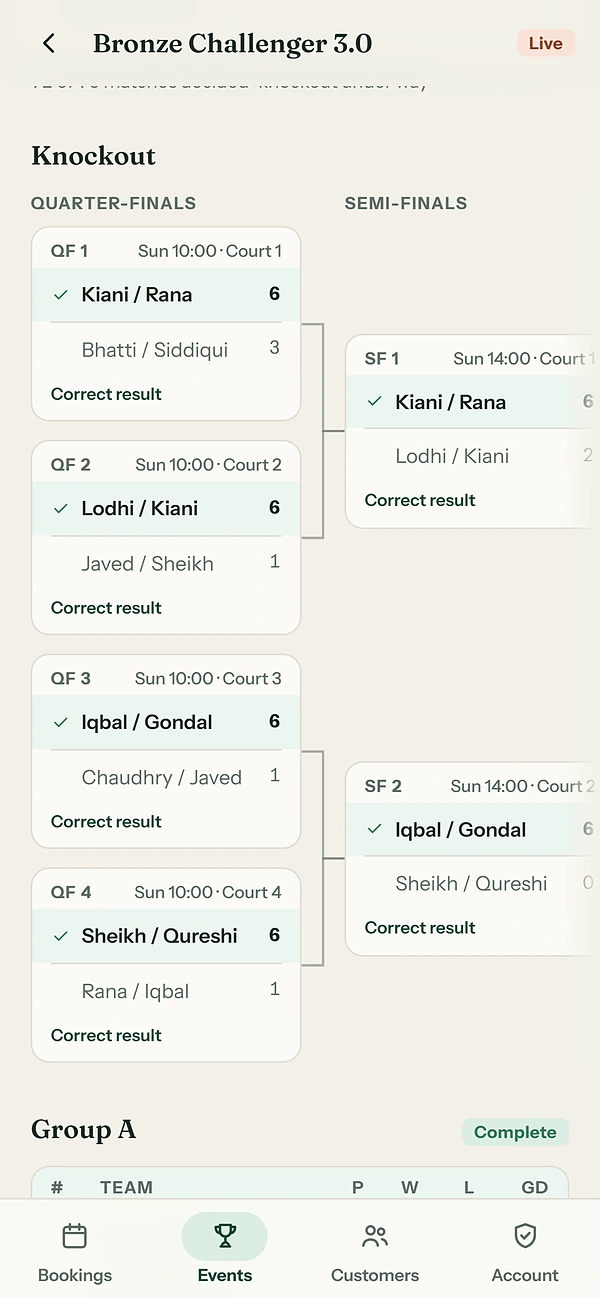
Clubs that Padelistan approves to run tournaments get the Events tab and the organiser console: entries, the draw, scores, and Close & score to the Padelistan Ranking.
- On every player's Events tabYour tournament in front of every player.
- Results on every PassportClose & score posts Rank Ratings and Season Points.
Everything on the desk.
- A queue, soonest first
- Confirm, or decline with a note
- A bell every 15 seconds while one waits
- The count in the browser tab
- Or confirm everything automatically
- Every court, every hour, live
- Requested, paid, unpaid, checked in
- Walk-ins, blocks, no-shows
- Bookings made for an open match
- Fits four courts on a phone
- Add a walk-in with name and number
- Repeat weekly, up to 12 weeks
- Block 1 to 12 hours, lift it any time
- Record cash or bank transfer
- Check in, mark a no-show, cancel with a note
- Search by name
- Regular, New, At risk, Lapsed, with counts
- Visits, last visit, no-shows
- The last ten bookings
- Staff notes only your club sees
- Courts, hours, days ahead, photos
- Take bookings from the app, or not
- Confirm requests automatically
- Your staff, by username
- Authenticator apps for staff sign-in
- On a phone at the desk
- On a laptop, with a side rail
- The screen kept awake
- Tournaments, with Padelistan's approval
- A player's number and username stay private